
7 Reasons You Should Be Using Lightroom Presets
These days, only the laziest photographers still edit every image from scratch. A photo session doesn’t end the moment you put your camera down — it’s only half the job. The other half is processing hundreds (sometimes thousands) of images. And that can easily turn into hours of repetitive work.
LIGHTROOM PRESETS
If you want to level up your photo editing and color grading, I’ve put together a page with my favorite presets — the ones that actually work — plus exclusive discounts. Open it in a new tab and save it for later, so you always have a go-to place for reliable tools and inspiration.
CHECK IT OUTThankfully, Adobe Lightroom paired with presets can transform your workflow. With the right presets, you can achieve beautiful, consistent results instantly — without spending your entire evening tweaking sliders. Today, let’s break down 7 reasons why you should start using Lightroom presets.
This guide is also available in Russian: 7 причин чтобы пользоваться пресетами
Why You Need Lightroom Presets
Before we dive in, let’s clarify what presets actually are. A Lightroom preset is a saved combination of editing settings — exposure, contrast, color grading, curves, and more — packed into a single click.
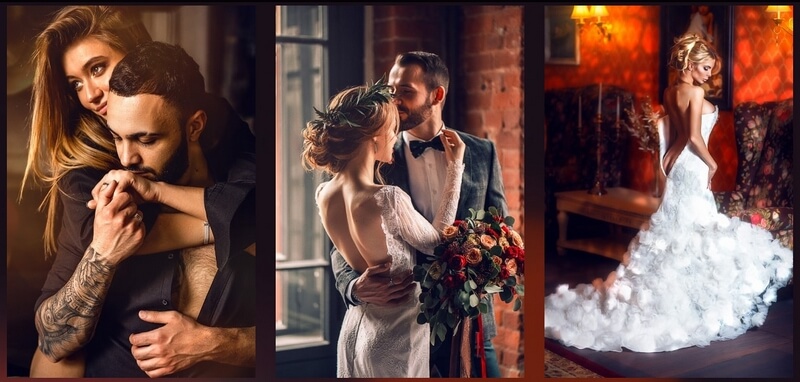
Instead of applying the same adjustments manually over and over again, you apply a preset and get a near-finished result instantly. It’s faster, cleaner, and dramatically more efficient.
7 Reasons to Use Lightroom Presets
Here are the seven core reasons most photographers rely on presets in their editing workflow:
• Time savings
• Ease of use
• Creative exploration
• Consistent style
• Flexible adjustments
• Lightroom is easier than Photoshop
• Batch editing
Let’s go through each one in more detail — and you may find your skepticism melting away.
1. Time Savings
Presets allow you to bring your photos to about 85–90% of the final look with a single click. Sometimes you even get a fully finished image immediately. From there, you only need a couple of minutes for minor fine-tuning.

Instead of manually editing every photo from scratch, presets help you move through your gallery quickly and efficiently.
2. Ease of Use
Learning a new editing program can feel overwhelming. Sure, learning and improving your skills is great — but not everyone has the time or energy for a steep learning curve.
LIGHTROOM PRESETS
If you want to level up your photo editing and color grading, I’ve put together a page with my favorite presets — the ones that actually work — plus exclusive discounts. Open it in a new tab and save it for later, so you always have a go-to place for reliable tools and inspiration.
CHECK IT OUTPresets let you start editing in Lightroom right away. More importantly, they make the process simple and intuitive even for beginners.
3. Creative Experimentation
We’ve all faced that moment while editing:
Should this photo be black and white? Warm and vibrant? Cool and muted? Vintage and soft?
Trying to manually recreate different looks takes forever. With presets, experimentation becomes effortless.
A quick tip: When you hover over any preset in Lightroom, you’ll instantly see a preview of how it will look on your image.
Presets open up endless creative possibilities — just click through different styles and see what fits the mood of the photo or the entire series.
4. Consistent Style
When you’re editing a full photoshoot, using the same preset (or preset family) helps create a cohesive, unified style across the entire session.
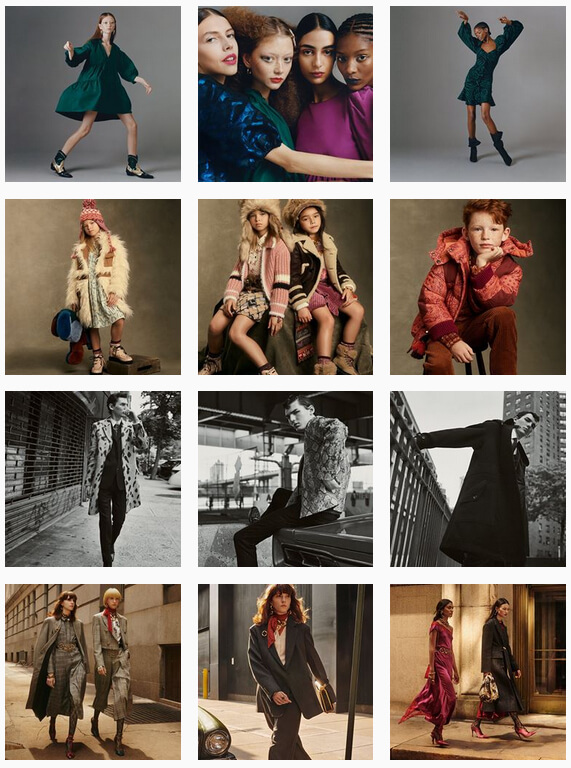
If you start editing every image individually from scratch, you risk small inconsistencies that break the overall visual harmony. Presets prevent that — and help build a recognizable style photographers become known for.
5. Flexible Adjustments
Even if you have a preset you love, you can tweak it anytime — change colors, adjust contrast, modify tones, sharpen or soften the look. And if your personal style evolves, you can update the preset to match.
Every Lightroom preset is fully customizable. A few clicks — and it becomes your own.
6. Lightroom vs Photoshop
Lightroom is designed for presets, while Photoshop uses actions. Both are powerful tools used by professionals, but Lightroom is the go-to for photo editing — especially for large batches of images.
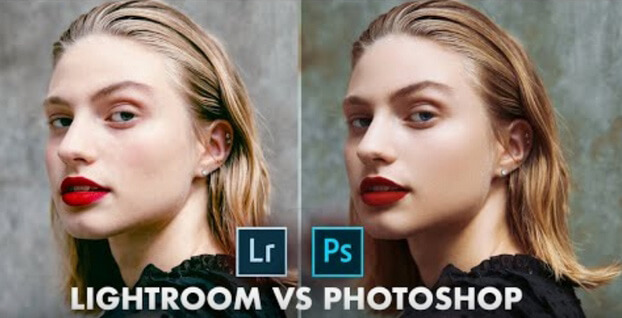
Why?
• It’s easier to learn
• Faster for everyday edits
• Non-destructive editing — your original photo is always preserved
You can experiment freely without risking image quality, which makes Lightroom the perfect environment for preset-based editing.
7. Batch Editing
One of Lightroom’s biggest advantages is fast batch editing. You can sync settings across multiple photos or even apply the same preset to an entire series — all in one click.
If the photos were shot in similar conditions, this feature alone can cut your editing time dramatically. And in today’s world, time is money.
Conclusion
Now that you know how Lightroom presets can save you hours of work while still delivering high-quality results, it’s time to explore some preset collections. Below you’ll find curated presets and actions tested for quality and performance — definitely worth checking out.
Whether you’re a beginner or a seasoned professional, you’ll love working with presets once you see the results they produce. Hopefully these seven reasons helped you understand why presets are worth using — and maybe inspired you to give them a try.


